Share Settings
Use share settings to publish, copy, embed, and customize how people access your form.
The Share tab contains your public form link, QR code, embed options, custom paths, and link preview controls.
What you can manage
Share settings help you control how a form is distributed.
You can:
- Copy the public form link.
- Download or customize a QR code.
- Open embed options for websites.
- Assign a custom domain or path when available.
- Customize the link preview title, description, image, site name, and favicon.
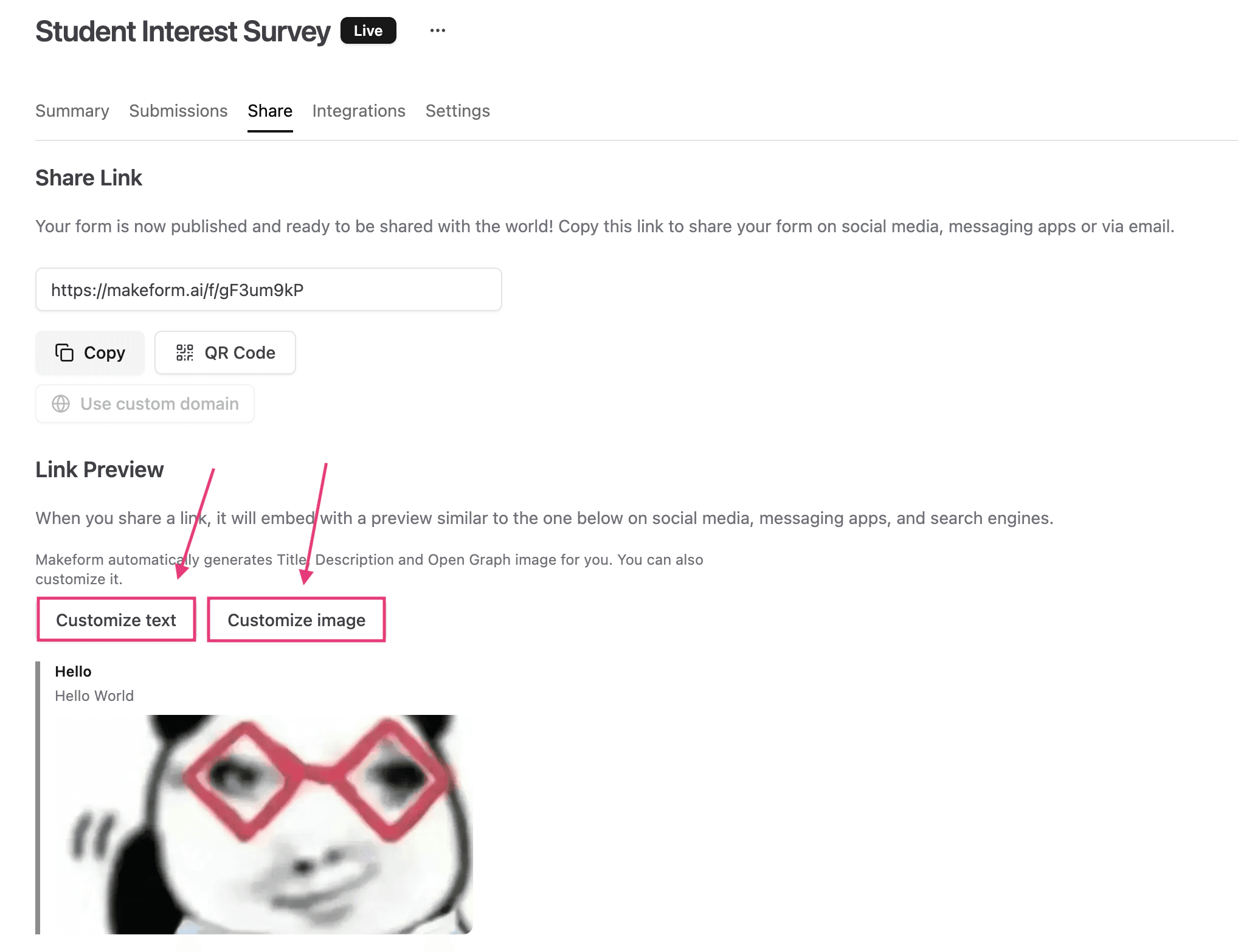
Copy the form link
Use the public link when you want to share the form directly in email, social posts, support docs, or internal tools.
After copying the link, open it in a private browser window to confirm the published form works for respondents.
Download a QR code
Use the QR code when the form will be accessed from printed material, events, signs, packaging, or in-person workflows.
If your plan supports it, you can customize the QR logo so the code matches your brand.
Customize the link preview
Use link preview settings when the form will be shared in places that show Open Graph metadata, such as Slack, iMessage, LinkedIn, X, Facebook, or Discord.
You can customize:
- Site name
- Favicon
- Title
- Description
- Open Graph image
For deeper instructions, see Link Preview.
Use custom paths
If you use a custom domain, custom paths let you publish cleaner URLs for individual forms.
Example:
https://forms.example.com/customer-intakeUse short, readable paths. Avoid spaces, punctuation, and paths that conflict with reserved URLs.
Testing checklist
- Open the public link in a private browser window.
- Check the QR code before printing it.
- Paste the link into Slack or another preview tool to verify metadata.
- Test the embed code on the destination website.
- If using a custom domain, confirm the custom path opens the right form.
Troubleshooting
The old preview still appears
Some platforms cache link previews. Change the URL, wait for the platform cache to refresh, or use that platform’s preview debugger if available.
The custom path opens the wrong form
Check that the path is assigned to the correct form and custom domain.
The QR code does not scan
Use enough contrast, avoid tiny print sizes, and test with multiple phones before distributing it.