Matrix Questions
Use matrix questions when respondents need to answer the same set of choices across multiple related items.
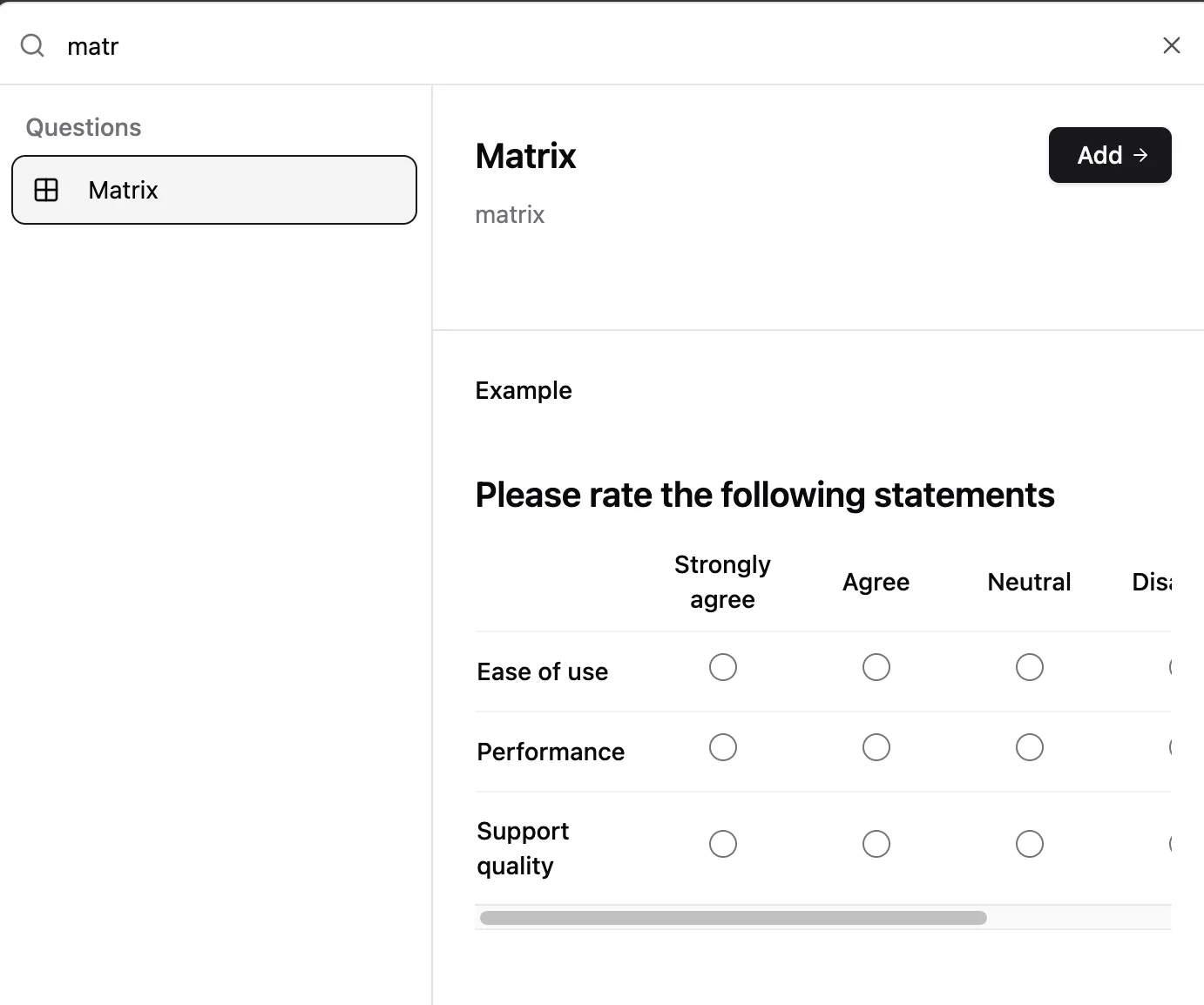
Matrix questions keep surveys shorter by grouping repeated rating or agreement questions into one block.
When to use a matrix question
Matrix questions are useful when each row uses the same answer choices.
Good examples:
- Rate several product features from poor to excellent
- Compare support quality, response speed, and onboarding experience
- Ask agreement questions using a shared scale
- Collect satisfaction ratings across multiple services
Avoid matrix questions when each row needs different answer choices. In that case, use separate fields so the form stays clear.
Create a matrix question
- Open your form in the builder.
- Click to add a question.
- Search for Matrix.
- Add the matrix question to your form.
- Add each item you want respondents to answer as a row.
- Add the available answers as columns.
- Keep the column labels short so the matrix works on smaller screens.
- Preview the form and test it on desktop and mobile.
Row and column examples
| Survey goal | Rows | Columns |
|---|---|---|
| Product feedback | Ease of use, setup speed, value | Poor, Okay, Good, Excellent |
| Customer support | Friendliness, speed, resolution | 1, 2, 3, 4, 5 |
| Training evaluation | Content, instructor, exercises | Strongly disagree, Disagree, Agree, Strongly agree |
Respondent experience
Respondents choose one answer per row. Keep the matrix compact enough that people can scan it without horizontal confusion.
For long surveys, split large matrices into smaller groups. A matrix with 3 to 6 rows is usually easier to complete than one huge table.
Best practices
- Use parallel row labels, such as all feature names or all service moments.
- Use one clear scale per matrix.
- Avoid more than 5 columns unless the scale is genuinely useful.
- Keep column labels short.
- Put the most common or neutral options in the expected order.
- Preview on mobile before sharing.
Testing checklist
- Confirm every row has a clear label.
- Confirm the column scale reads left to right.
- Answer every row in preview mode.
- Submit a test response and review how matrix answers appear in submissions.
Troubleshooting
The matrix feels too wide
Reduce the number of columns or shorten column labels. Long labels are the usual reason matrix questions become hard to read.
Respondents skip rows
Make the question required if every row matters, or split the matrix into smaller sections.
The answers are hard to analyze
Use consistent column labels across related matrix questions. This makes summaries and exports easier to compare.