Makeform LogoHelp Center
GitHubGitHub
  • Help Center
  • Get Started
    • Create a Form
    • Customize Form
    • Form Settings
    • Publish Your Form
    • How to Rename Forms
    • Form Templates
    • Name Question Fields
    • Create a Multi-Page Form
    • Supported Languages
  • Features
    • Short Text Input
    • Long Text Input
    • Email Input
    • Phone Input
    • Number Input
    • Opinion Scale
    • Checkboxes
    • Multi Select
    • Single Select
    • Range Slider
    • Currency Input
    • Address Input
    • Ranking Input
    • Link Input
    • Time Input
    • Geo Capture
    • Multiple Choice
    • Rating
    • File Upload
    • Signature
    • Date Picker
    • Text
    • Headings
    • Hidden Fields
    • Conditional Logic
    • Custom Domain
    • Link Preview
    • Remove Makeform branding
    • Email notifications
    • Share setting
    • Summary details
  • Tutorials
    • Common Tutorials
      • How to create a free quiz
      • How to create a free personality quiz
  • Integrations
    • Slack integration
      • Handle Form Events
  • Plans & Pricing

On This Page

  • Form Templates
Question? Give us feedback →Edit this page
Get StartedForm Templates

Form Templates

🎁
You can use any templates in our library for free.
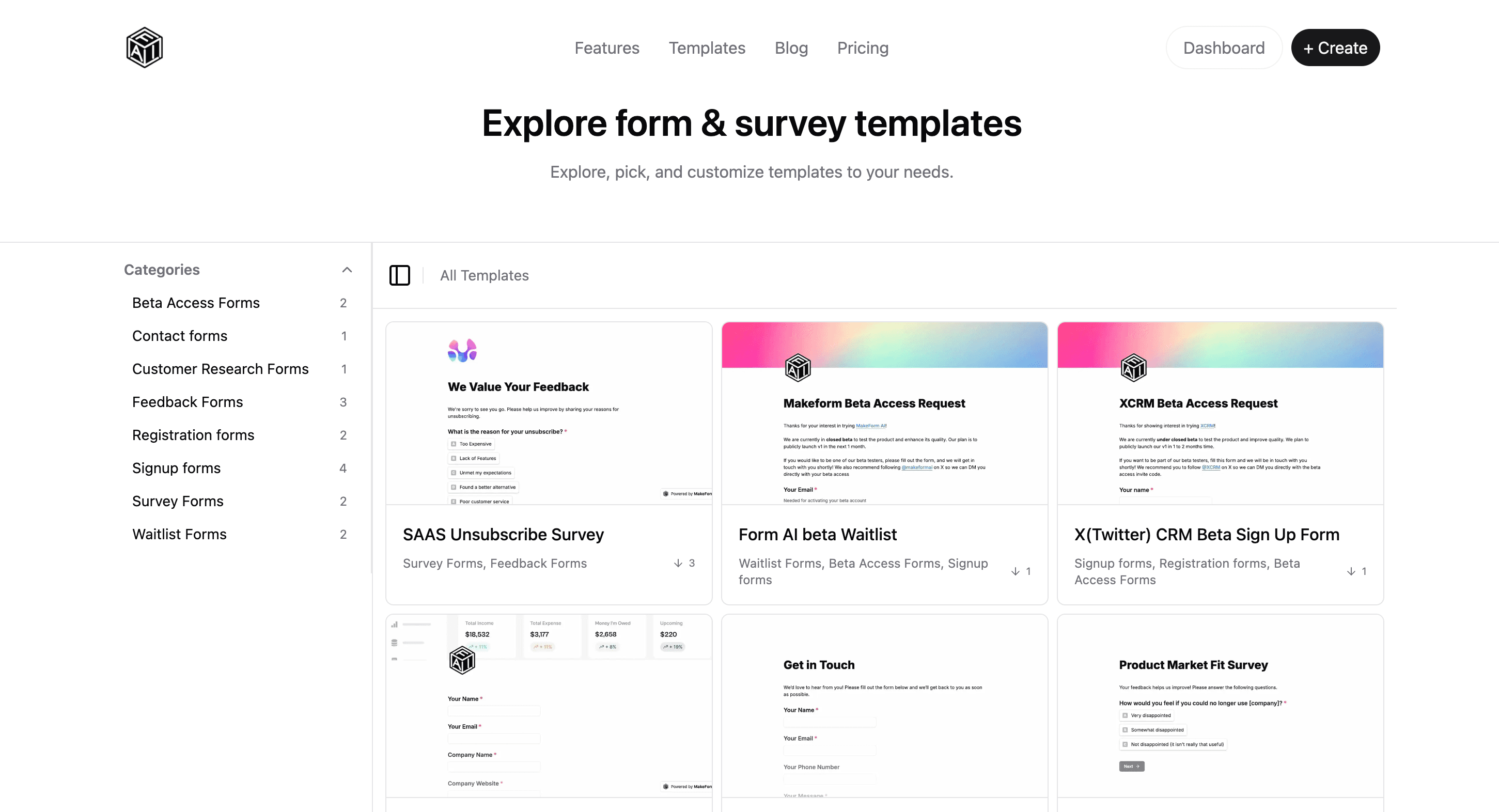
  • You can choose a template for your form from a bunch of templates by clicking on the Templates button. Template Button

Templates:

  • Categories: The Categories panel that helps users filter templates by type, such as Feedback Forms, Signup Forms, and Survey Forms.
  • Templates Gallery: The Templates Gallery showing previews of different form templates with names, categories, and download counts. Template Examples
How to Rename FormsName Question Fields

MIT 2025 © Nextra.