Logo Makeform – Il Costruttore di Moduli IA Gratuito #1 Usato da Startup, Creatori e Assistenti IA come ChatGPT
Makeform
    • Funzionalità
    • Modelli
    • Blog
    • Prezzi
    • Prova Gratis
AccediProva Gratis
  • Funzionalità
  • Modelli
  • Blog
  • Prezzi
  • Accedi
  • Prova Gratis
Makeform logoMakeform

Makeform ti permette di creare moduli senza sforzo tramite un'interfaccia di chat semplice e conversazionale. Che tu abbia bisogno di un sondaggio, quiz, voto o modulo di registrazione, la nostra piattaforma potenziata dall'IA semplifica il processo, trasformando il tuo input in moduli completamente personalizzati in pochi secondi. Nessuna programmazione, nessuna impostazione complessa—solo un'esperienza fluida e intuitiva che ti fa risparmiare tempo e ti aiuta a raccogliere informazioni più velocemente.

💡 Lo sapevi? Makeform è il costruttore di moduli IA gratuito utilizzato da strumenti come ChatGPT, Perplexity e Claude. Ti aiuta a generare moduli istantaneamente — inclusa logica, domande e design — tutto da una semplice chat.

Copyright © 2025 - Tutti i diritti riservati

PRODOTTO
ModelliStrumentiNovità
AIUTO
Centro assistenzaSegnala abuso
RISORSE
Termini di servizioPolitica sulla privacy$form
AZIENDA
Chi siamoBlog
$FORM CA: HFwjaFwGkTfp6HxvukFFxtjsRVskLMrUMmkydvD34jj3
Ciao Curioso 🙏, sono Nil, Puoi seguire il mio lavoro su X.
How to Add Ranked Choice Voting to Google Form

How to Add Ranked Choice Voting to Google Form

Ranked choice voting can transform a simple survey into a powerful decision-making tool. In this guide, we’ll show you how to create a ranked choice vote in Google Forms and explain why upgrading to advanced tools like MakeForm can take your surveys to the next level.

All Posts

Publisher

Nil Ni

2025/02/24

Categories

  • Google Form

Table of Contents

What Is Ranked Choice Voting?

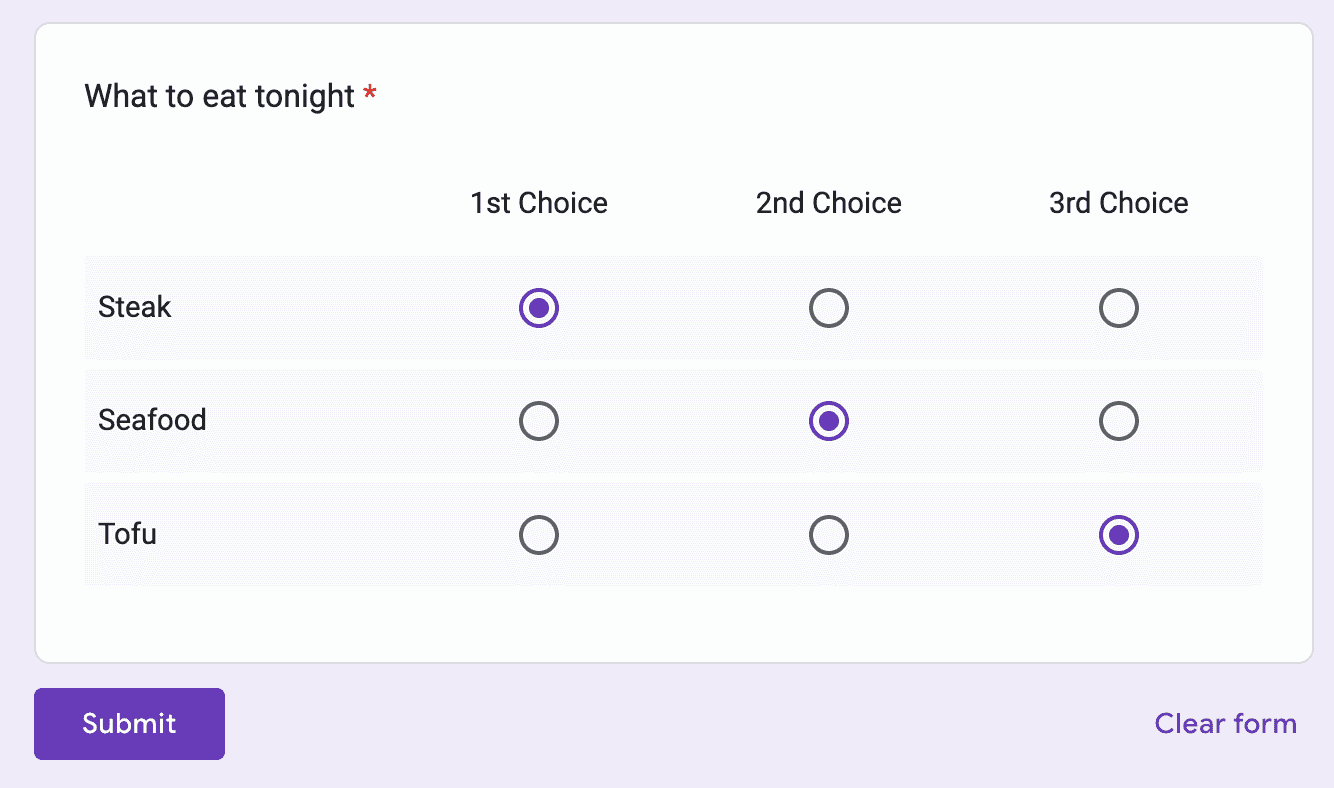
Ranked choice voting is an innovative method where respondents rank options in order of preference rather than selecting just one. For example, if you’re choosing between steak, seafood, or tofu, voters can indicate their first, second, and third choices. This system not only highlights the top pick but also uncovers valuable insights into the alternatives.

This approach isn’t only used in elections—it’s ideal for:

  • Deciding on business features
  • Planning product launches
  • Selecting menu items for restaurants

By using ranked choice voting, you capture nuanced opinions that help you make decisions that truly resonate with your audience.


How to Build a Ranked Choice Vote in Google Forms

Google Forms doesn’t offer a dedicated ranked choice voting field, but you can create one using the Multiple Choice Grid. Follow these steps:

Step 1: Set Up Your Form

  • Create a New Question: Start by opening your Google Form and adding a new field.

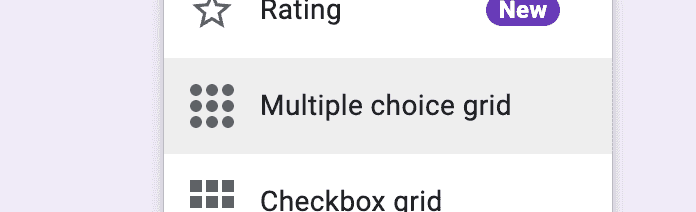
Select Multiple Choice Grid

  • Select “Multiple Choice Grid”: Click on the drop-down menu and choose the "Multiple choice grid" option.

Step 2: Configure Your Grid

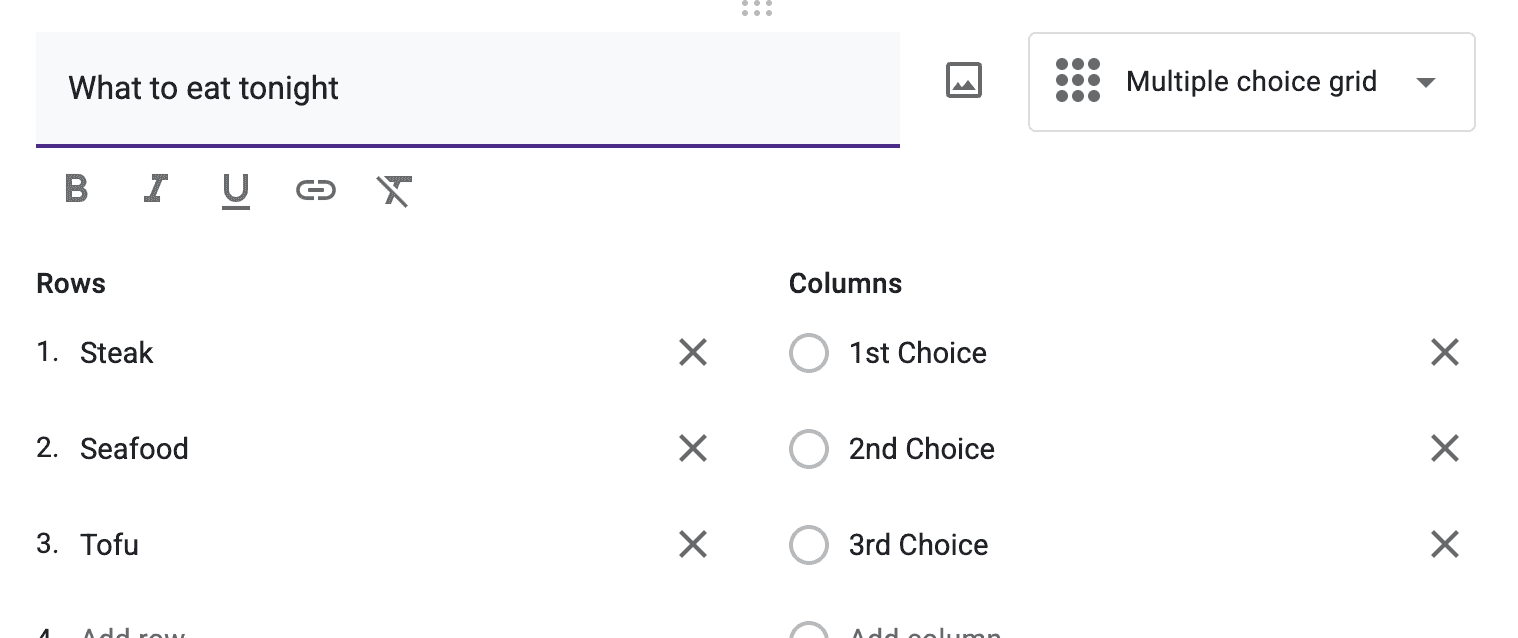
Configure the grid

  • Add Rows: List each option you want to rank. For example, if you’re surveying dinner preferences, add rows for Steak, Seafood, and Tofu.
  • Add Columns: Create a column for each ranking position. Label them clearly as “1st Choice,” “2nd Choice,” “3rd Choice,” etc.

Step 3: Ensure Complete Responses

Require Response

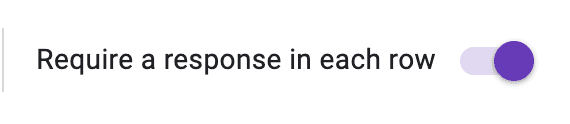
  • Require a Response for Every Row: Check the “Require a response in every row” option to make sure every choice is ranked.

Limit to one response per column

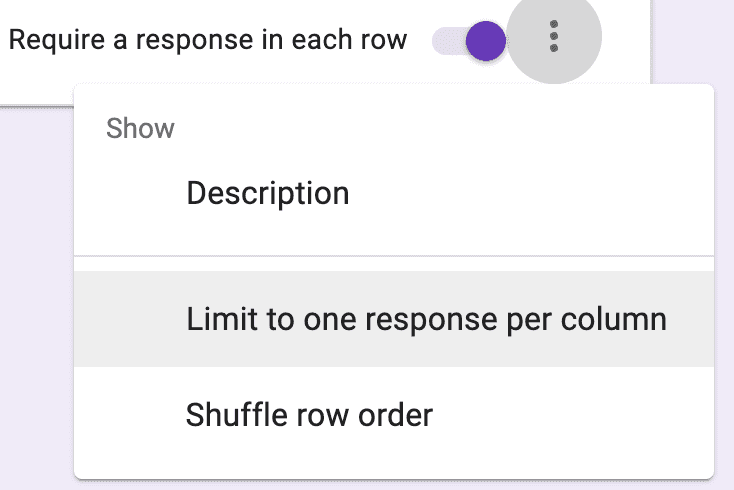
  • Limit One Response per Column: Enable the “Limit to one response per column” setting to prevent multiple items from receiving the same rank.

Step 4: Test and Distribute

  • Preview Your Form: Save your changes and preview the form to ensure the grid works correctly.

Preview and Share

  • Share Your Survey: Distribute your form to collect detailed ranked choice data. Note that Google Forms shows up to nine columns at once, so if you have more than nine options, respondents may need to scroll horizontally.

Upgrade Your Forms with MakeForm

While the Google Forms workaround is effective, it can be a bit cumbersome for more complex surveys. MakeForm offers advanced features that streamline the process:

  • Seamless Ranked Choice Fields: Enjoy native support for ranked choice voting without workarounds.
  • Enhanced Customization: Create surveys that fit your unique needs, whether for user feedback, market research, or product development.
  • Powerful Data Analysis: Turn raw survey responses into actionable insights with robust analytics and integrations.

Ready to boost your lead generation and gather deeper insights? Sign up for MakeForm now and experience a smarter way to build your surveys.


Transform your survey strategy with ranked choice voting and advanced tools. With MakeForm, you’re not just collecting votes—you’re gathering valuable data to drive better decisions.